finale
A minimalist music player for Jellyfin.
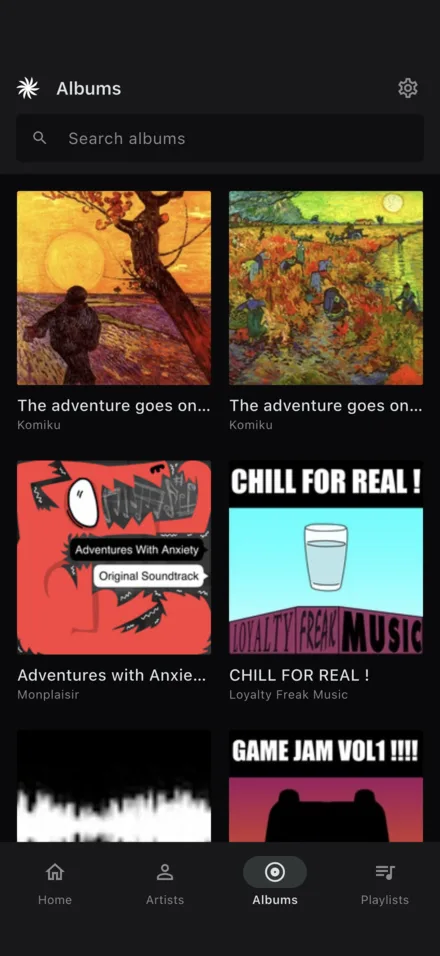
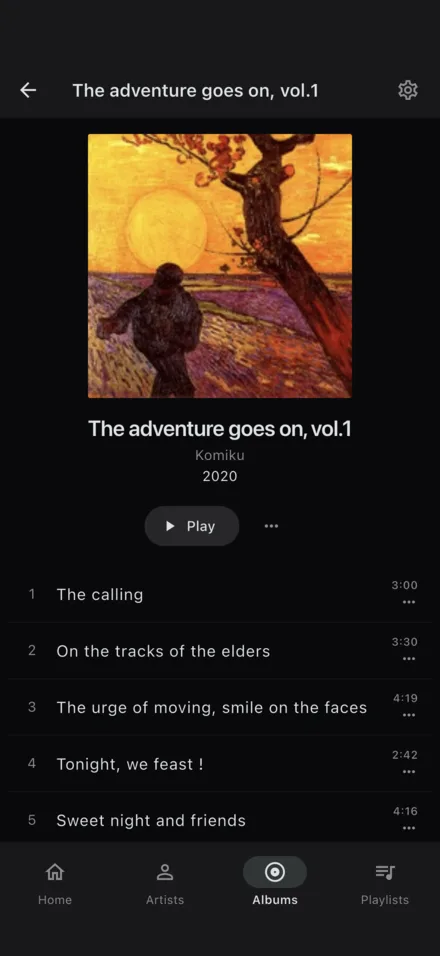
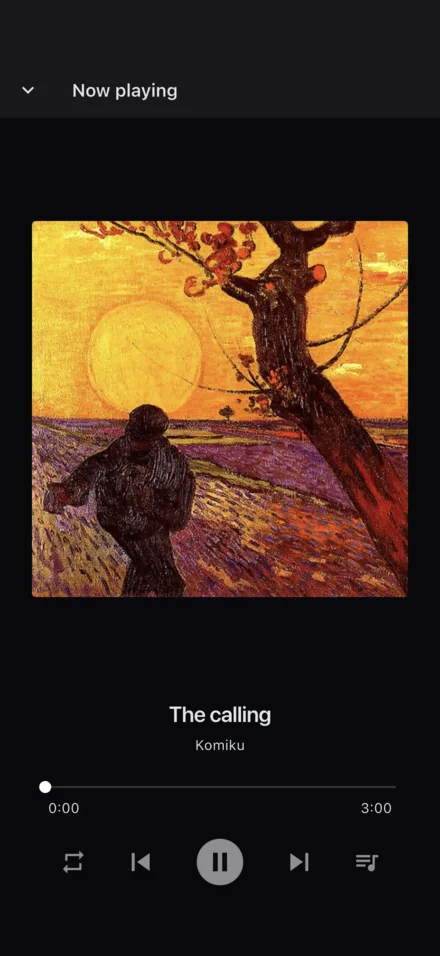
What it is
Finale plays the music on your own Jellyfin server. There's no account to create and no catalogue but yours — point it at the server you already run, sign in, and your library is there. No ads, no analytics, no recommendations.
It exists because none of the Jellyfin clients I tried did exactly what I wanted. It is cross-platform, switches cleanly between libraries, keeps playing offline, and stays stable when reaching your server over Tailscale (IMHO the best way to get "play anywhere" from locally hosted services).
Features
Browse & search
Artists, albums and playlists, with search across all of them.
Listen offline
Download albums to the device and play them anywhere your server isn't reachable.
Playback
Gapless playback with a queue and repeat modes.
In the background
Playback continues when you leave the app, with lock-screen, headphone and car controls.
Now playing
A full-screen player with the current track and its controls; the queue is a tap away.
Playlists
Create, rename, edit and delete Jellyfin playlists from inside the app.
Recently played
Pick up where you left off without digging through the library.
Remote-friendly
Connects to your Jellyfin server over your local network or Tailscale.
Try it in the browser beta
There's a hosted web build at /app/. It runs in any modern browser and connects directly to your Jellyfin server — your library and listening history stay between your browser and your server.
Your Jellyfin server has to be reachable over HTTPS from your browser. The cleanest way to do that without putting Jellyfin on the public internet is Tailscale.
-
Install Tailscale on the device running Jellyfin and on every device you want to play music from.
If you don't have a tailnet yet, sign up at
tailscale.com— the free plan is enough. -
Expose Jellyfin over HTTPS via Tailscale Serve. On the Jellyfin host:
sudo tailscale serve --bg --https=443 http://localhost:8096This gives Jellyfin a real Let's Encrypt cert at
https://<host>.<tailnet>.ts.net. The hostname only resolves on devices logged into your tailnet — it isn't public. -
Open the web player at /app/ from a tailnet-connected device. On the setup screen, enter your Jellyfin URL — the
https://<host>.<tailnet>.ts.netone, no port — and sign in.
Caveats: clearing your browser's site data resets Finale's cached library info — it'll reload it from your server next time. And any device not on your tailnet will load this page but won't reach Jellyfin.
Download
The macOS app is signed with a Developer ID and notarized, so it opens without a Gatekeeper warning.
iOS and Android versions are on their way to the App Store and Google Play. Links will appear here once they're live.
Support
Something not working, or a question about Finale? Email support@psugar.xyz, or open an issue on GitLab.
It helps to include your device, the app version (Settings → About), and — for anything to do with connecting or playback — the debug log (Settings → Debug log → Copy).